Django Admin
To add, edit and delete the bakeries and items we’ve just modeled, we will use Django admin.
Code Editor
Let’s open the bakeries/admin.py file in the code editor and replace its contents with this:
from django.contrib import admin

from .models import Bakery, Item


admin.site.register(Bakery)
admin.site.register(Item)
As you can see, we import (include) the Bakery and Item models defined in the previous chapter. To make our models visible on the admin page, we need to register the model with admin.site.register(Bakery) and admin.site.register(Item).
OK, time to look at our Bakery and Item models. Remember, we need to run the server to see the site. Here’s that command again in case you forgot it:
uv run manage.py runserverGo to your browser and type the address http://127.0.0.1:8000/admin/. You will see a login page like this:
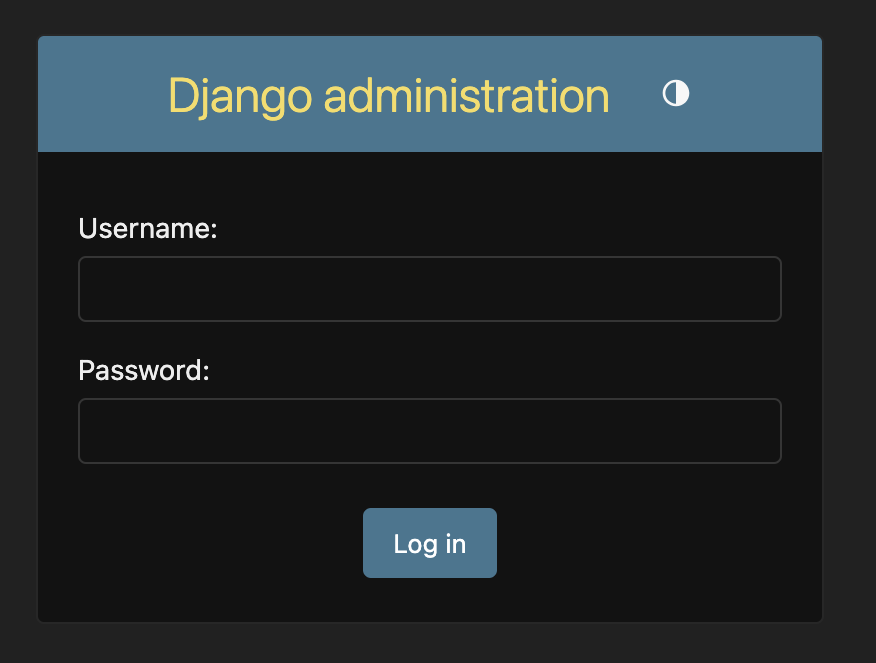
To log in, you need to create a superuser - a user account that has control over everything on the site. Go back to the terminal and execute the following command:
Note
Remember, to write new commands while the web server is running, open a new terminal window and navigate to your project directory. We reviewed how to write new commands in the Your first Django project! chapter, in the Starting the web server section.
uv run manage.py createsuperuserWhen prompted, type your username (lowercase, no spaces), email address, and password. Don’t worry that you can’t see the password you’re typing in – that’s how it’s supposed to be, for security. Type it in and press enter to continue. The output should look like this (where the username and email should be your own ones):
Username: flourpower
Email address: hello@flourpower.com
Password:
Password (again):
Superuser created successfully.
Return to your browser. Log in with the superuser’s credentials you chose; you should see the Django admin dashboard.
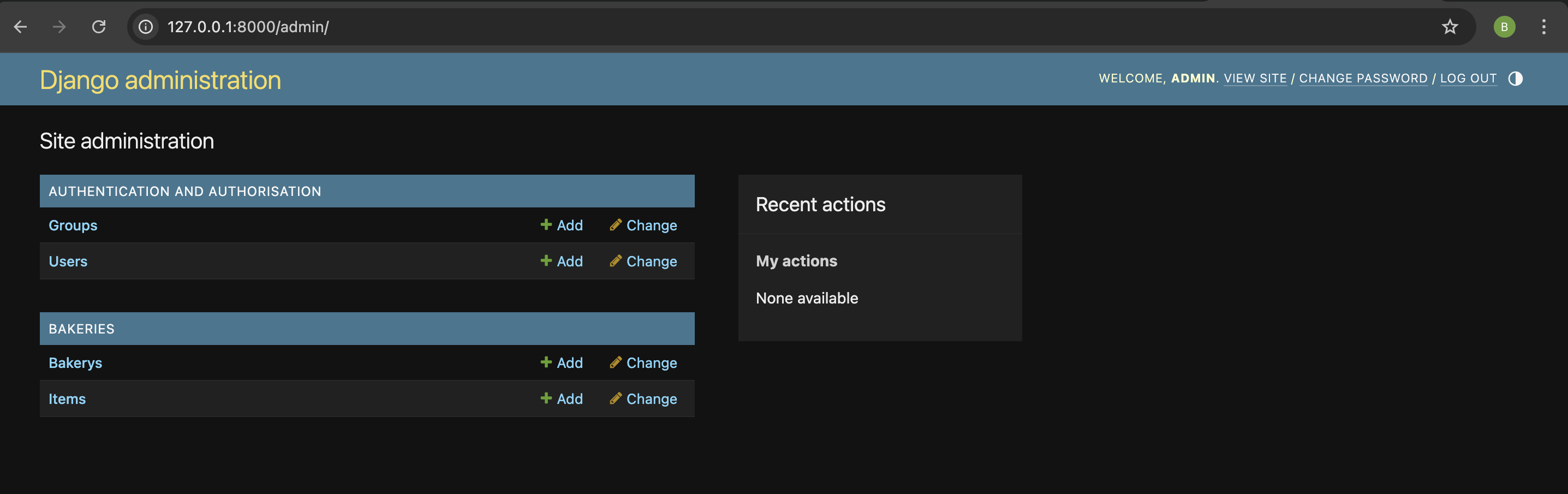
Go to Bakery and experiment a little bit with it. Add two or three bakeries. Don’t worry too much about the content – it’s only visible to you on your local computer. You can copy some text from the list below if you’re looking for inspiration.
| Bakery Name | Address |
|---|---|
| Flour Power | 12 Gardenia St, Subiaco WA 6008 |
| Dough Re Mi | 98 Symphony Rd, Southbank VIC 3006 |
| Rolling in Dough | 34 Cashmere Ave, New Farm QLD 4005 |
| Batter Late Than Never | 51 Tardy Ln, Glenelg SA 5045 |
| Whisk Takers | 7 Adventure Ct, Kingston ACT 2604 |
| The Daily Knead | 101 Baker St, Hobart TAS 7000 |
| Sugar High | 22 Sherbet Cres, Fremantle WA 6160 |
| Bready or Not | 9 Puzzle Pde, Brunswick VIC 3056 |
| Muffin But Love | 66 Crumb Crt, Paddington QLD 4064 |
| Piece of Cake | 80 Easy St, Northbridge WA 6003 |
| Bake It Happen | 11 Rise Rd, Newtown NSW 2042 |
| You Batter Believe It | 42 Sprinkle Way, Norwood SA 5067 |
| Oh, Crumbs! | 5 Biscuit Blvd, Launceston TAS 7250 |
| Pain in the Bun | 13 Croissant Pl, Manly NSW 2095 |
| Bon AppéTreat | 77 Parisian Ln, Carlton VIC 3053 |
| The Baguette About It | 28 Forget It St, Darwin NT 0800 |
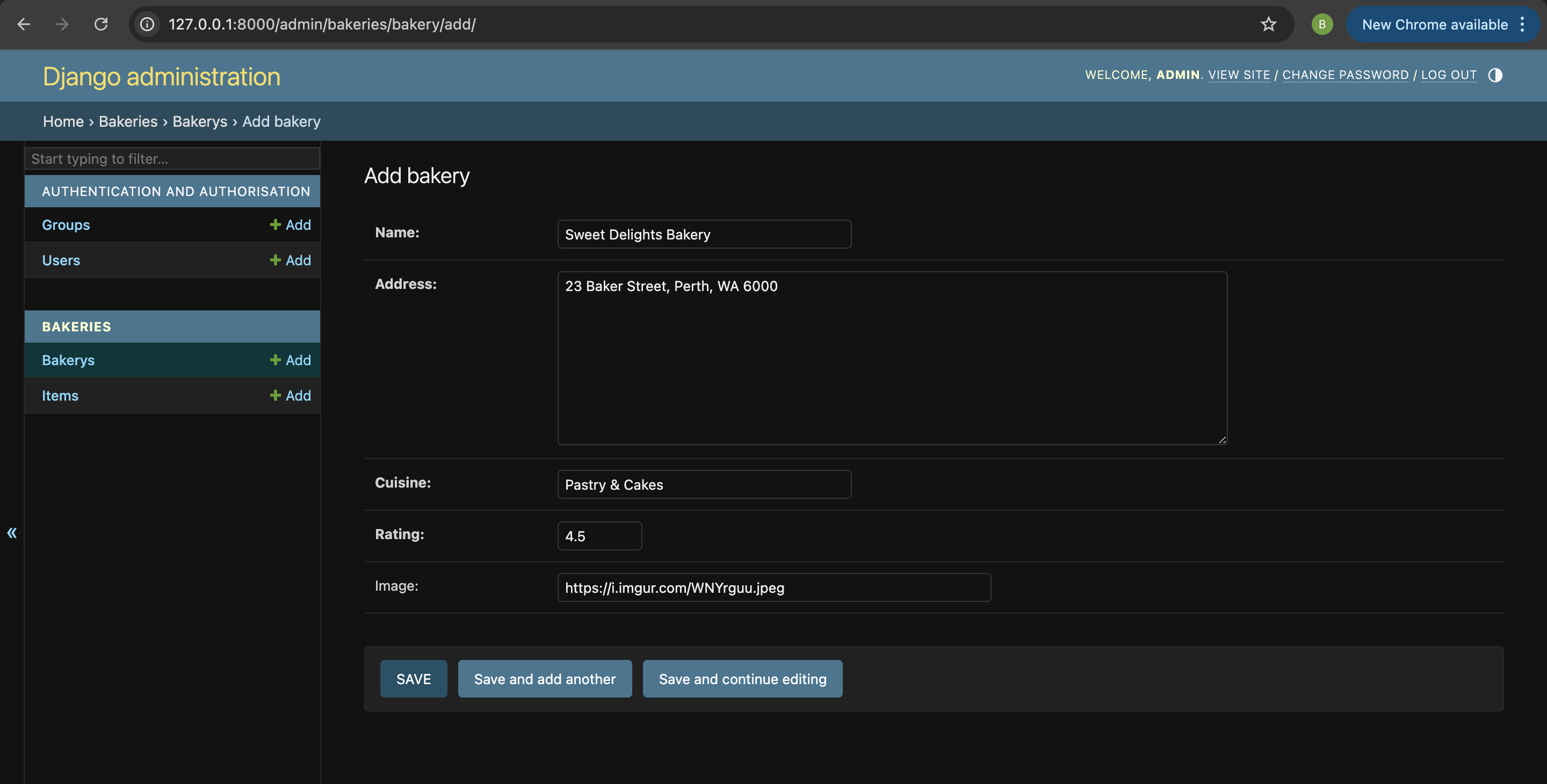
Now head to Item and add some items for each bakery!
| Item Name | Price |
|---|---|
| Sourdough Loaf | 12.00 |
| Croissant | 5.50 |
| Chocolate Éclair | 6.50 |
| Lamington | 4.00 |
| Vanilla Slice | 5.00 |
| Apple Turnover | 5.50 |
| Sausage Roll | 6.00 |
| Cinnamon Scroll | 5.00 |
| Cupcake | 4.50 |
Info
If you want to know more about Django admin, check out Django’s documentation
This is probably a good moment to grab a tea or coffee to re-energise yourself. You created your first Django model – you deserve a little break!